JET Drill Press Replacement Parts: How to Identify the Correct Version
JET has built drill presses for a long time, and the lineup spans benchtop, floor, and radial machines with names like JDP-17MF, JDP-17, and J-2530. That variety is why ordering the wrong part is easy: two JET presses can look similar and share nothing. The fix is to identify the exact model and its version before you buy anything. This guide shows how to pin down the correct JET drill press version and match replacement parts to it without guessing.
JET drill press replacement parts fall into two groups: genuine JET parts (spindles, quills, pulleys, belts, switches, chucks, tables, and castings) ordered by model and stock number from JET’s parts breakdowns, and universal consumables (chucks, chuck keys, vises, and some belts) matched by size. Because JET is a current manufacturer with published parts diagrams, most parts are identifiable once you have the exact model and version.
Straight answer: find the full model designation and stock number on the machine, then use JET’s parts breakdown for that exact version to order model-specific parts. Match universal consumables by measurement. The single most common mistake is ordering by the family name (“JDP-17”) without confirming which version you actually have.
Step 1: identify the exact model and stock number
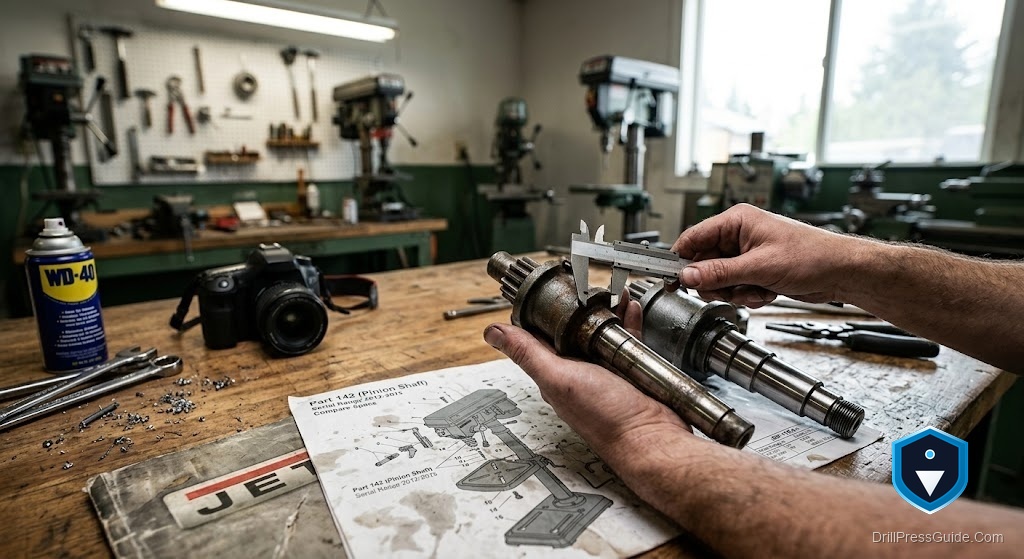
JET machines carry a model number and a stock number on an ID plate, usually on the head. Record both. The model tells the family (for example JDP-17MF or JDP-17), and the stock number pins down the exact production version, which matters because JET updates machines over time. For instance, the older JDP-17MF and the newer JDP-17 are both 16-speed 3/4 HP floor presses, but they use different tables, belt systems, and travel, so their parts are not interchangeable. Only the model-and-stock-number combination tells you which breakdown to use.
Step 2: use the parts breakdown for that version
Once you have the exact version, use JET’s parts breakdown, the exploded diagram with numbered components, to order model-specific parts. This is where you find the correct pulley, switch, quill, spindle, table part, or belt for your machine, each with its own part number. Ordering from the breakdown for your specific version is the reliable way to get parts that fit, especially for components JET revised between versions. Do not assume a part from one JDP-17 variant fits another; confirm it on the diagram.
Step 3: match universal consumables by size
Some parts are genuinely universal and fit by measurement:
- Chuck: JET floor presses commonly use an MT2 spindle with a 5/8-inch keyed chuck, so a 5/8-inch keyed chuck with an MT2 arbor fits directly; an MT2-to-JT33 arbor adapts a JT33 chuck to the Morse spindle.
- Chuck key: A lost key is a universal ratcheting chuck key.
- Vise: A drill press vise fits any table.
For a belt, confirm whether your version uses a standard V-belt or a poly-V belt (the newer JDP-17 uses a poly-V drive), then order the correct type by part number or match it by measurement.
The honest flaws
Two honest points. First, JET’s model families reuse names across versions, so the family name alone is a trap, only the model-and-stock-number combination is reliable, and skipping that step is the top cause of wrong-part orders. Second, belt type differs between versions (V-belt versus poly-V), so a belt that fits one JDP-17 variant will not fit another; always confirm the drive type. Neither is a knock on JET’s parts support, which is good; both simply reward precise identification.
Who can source parts easily, and who should reconsider
You can source JET parts confidently if your machine has a readable model and stock number and you use the matching parts breakdown, because JET is a current maker with strong documentation and support. For current and many older models, keeping one running is realistic.
Reconsider only if an older discontinued JET needs a version-specific part that JET no longer stocks and no donor exists, which is uncommon. In that narrow case, weigh a used donor or replacement. For nearly all JET owners, precise identification plus the parts breakdown is the path.
Conclusion: version identification ends the guesswork
JET drill press parts are straightforward once you order for the exact version rather than the family name.
- Record both the model designation and stock number from the ID plate.
- Use JET’s parts breakdown for that exact version to order model-specific parts.
- Match universal consumables (chuck, key, vise) by size; MT2 with a 5/8-inch chuck is common.
- Confirm belt type (V-belt versus poly-V) before ordering, since it differs between versions.
FAQ
Where do I find the JET model and stock number? On an ID plate, usually on the head. Record both; the stock number pins down the exact production version.
Why does the version matter so much? JET reuses family names across versions with different tables, belts, and travel, so parts are not always interchangeable between them.
What spindle and chuck do JET floor presses use? Commonly an MT2 spindle with a 5/8-inch keyed chuck, so an MT2 chuck and arbor fit directly.
How do I know which belt to order? Confirm whether your version uses a standard V-belt or a poly-V belt (the newer JDP-17 uses poly-V), then match by part number or measurement.
Can I use a universal chuck and key? Yes. Match the spindle taper and capacity for the chuck, and a universal ratcheting key fits most chucks.
Are JET parts still available? JET is a current manufacturer with published parts breakdowns, so most parts are available; some version-specific parts on old models may not be.
What is the most common ordering mistake? Ordering by the family name (like JDP-17) without confirming the exact version, which leads to parts that do not fit.
References
- JET 16-1/2” Drill Press JDP-17MF specifications and manuals, JET Tools: https://jettools.com/16-1-2-drill-press
- JET 17” Drill Press JDP-17 specifications, JET Tools: https://jettools.com/17-drill-press
- JET Model JDP-17MF Drill Press Manual with parts breakdown (PDF): https://generatorvt.com/wp-content/uploads/2019/09/Metal-JET-Floor-Drill-JDP-17MF.pdf