Using a Printable Drill Press Speed Chart Metal Without Sacrificing Finish or Accuracy
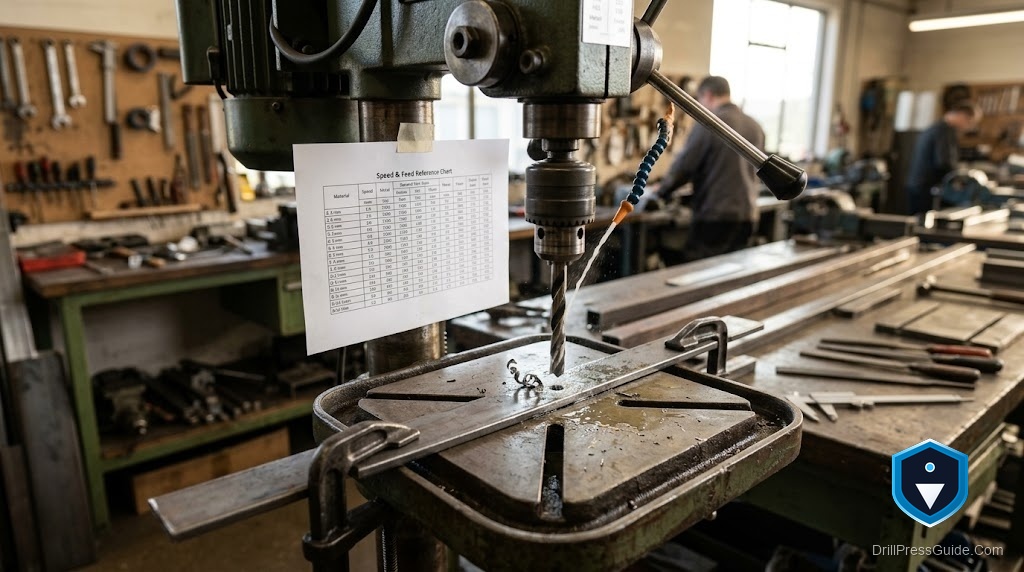
A printable metal speed chart taped to the wall next to the drill press is one of the best shop habits you can build. It removes guesswork at the moment you need it, when your hands are busy and the part is clamped. The trick is knowing how to read the chart so the printout actually protects your finish and your bits instead of just decorating the wall.
Here is the core idea in one sentence. Metal has a safe surface speed for the cutting edge, and the chart converts that speed into spindle RPM for each bit diameter and each material. Run faster than the chart and the edge overheats, loses temper, and stops cutting. Run in the window and the bit shears clean chips and lasts.
Why metal needs a chart more than wood does
Wood forgives a wide speed range. Metal does not. High-speed steel loses its hardness once the edge gets too hot, and that damage is permanent. A single fast run through steel can round over a sharp bit for good. The chart exists because the safe window for metal is narrow and drops fast as bits get larger, which is exactly the situation where memory fails and a printout saves you.
A printable metal speed reference
These are practical drill press starting speeds for sharp high-speed steel bits with cutting fluid. Set the nearest belt step and adjust down if the chips turn blue.
| Bit diameter | Aluminum | Mild steel | Stainless |
|---|---|---|---|
| 1/8 in | 3000 | 3000 | 1200 |
| 1/4 in | 3000 | 1500 | 600 |
| 3/8 in | 2500 | 1000 | 400 |
| 1/2 in | 1900 | 750 | 300 |
| 3/4 in | 1250 | 500 | 200 |
Read the columns and the pattern is clear. Aluminum runs fast, mild steel runs moderate, stainless runs slow. Within each column, speed drops as the bit grows. Stainless sits near half the mild-steel number because it work-hardens and punishes any heat.
Reading the chart without losing accuracy
Speed is only half the job. Accuracy comes from three habits the chart cannot print:
- Center punch every hole so the bit starts where you marked instead of skating across the surface.
- Peck drill deeper holes by retracting to clear chips, which keeps the flutes open and the edge cool.
- Clamp the work to the table. A spinning part is both a scrap part and a hand injury waiting to happen.
Chips are your live readout
The chart gives a starting speed; the chips tell you whether it is right. Silver or straw curls mean you are in the window. Blue or brown chips mean too much heat, so slow down and add fluid. Powder instead of chips means you are rubbing, usually from a dull bit or too little feed. Learn to glance at the chips and you will rarely need to second-guess the printout.
The verdict
A printed metal chart earns its place on the wall if you use it as a system, not a lookup:
- Read the material column first, then the diameter row.
- Set the nearest belt step and confirm with the color of the chips.
- Back up speed with a center punch, cutting fluid, and a solid clamp.
Who should skip it? Nobody working in metal. Even people who know the numbers benefit from a glance-able reference when a part is clamped and the moment is busy.
Frequently asked questions
What size should I print the chart? Large enough to read from arm’s length at the machine. A single sheet with bold rows beats a dense table you have to lean in to read.
Should the chart list every alloy? No. Aluminum, mild steel, and stainless cover most home and small-shop work. Exotic alloys are rare enough to look up when they come up.
Why does stainless get its own column? Because it work-hardens. If the bit rubs instead of cuts, the surface hardens and the bit stalls. The slow speeds in that column keep the edge cutting.
Do cobalt bits change the numbers? Cobalt tolerates more heat, so it survives mistakes better, but you still start from the same speeds. The chart is a floor for safe cutting, not a limit set by the bit.
My press cannot go slow enough for a large stainless hole. What now? Step up through smaller pilot holes, use the slowest belt step, and keep steady feed with fluid. If the machine simply will not slow down, that hole may be beyond its range.
Can I use the same chart for a hole saw? No. Hole saws cut on a large diameter and need much slower speeds. Keep a separate line or chart for them.
References
- Dynabrade HSS Drill Speed Recommendation Chart: https://www.dynabrade.com/pdf/lit/D1201_Singles/D12.01_pg134.pdf
- CCOHS, Metalworking Machines - Drill Presses: https://www.ccohs.ca/oshanswers/safety_haz/metalworking/drillpresses.html
- Delta 17-900 Instruction Manual: https://powertool.manualsonline.com/manuals/mfg/delta/17900.html